Stop No-Shows Eating Into Your Revenue
A no-show for a table of six on a Saturday night is not an inconvenience. It’s real money. And if it happens regularly, it’s a structural problem with your booking process.
simpleERB integrates with Stripe to give you three ways to protect that revenue: card capture for no-show charges, deposits per booking or per cover, and full prepayments for set menus and ticketed events. You decide which to use, when to apply it and which bookings it applies to.
Capture card details at the point of booking and recover your losses when customers don’t honour their reservation.
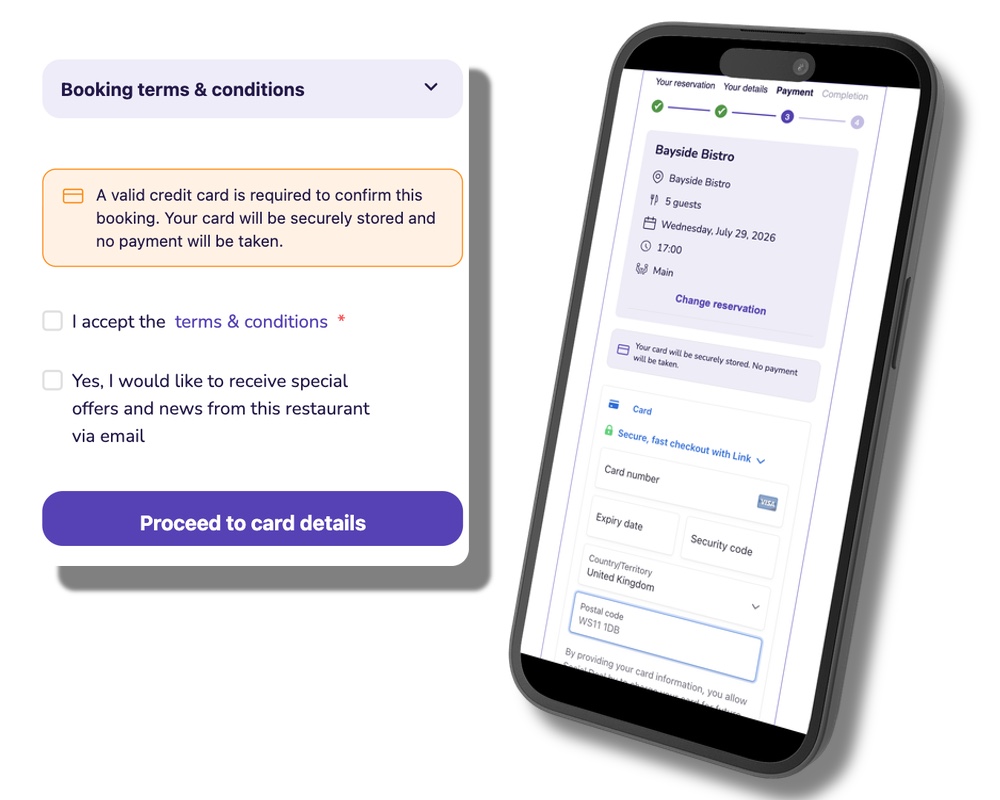
When a customer books, simpleERB can require them to supply card details before the booking is confirmed. Nothing is charged at that point. If the customer no-shows or cancels last minute, you charge whatever your booking terms allow, directly through Stripe.
For online bookings, the widget will not let a customer complete the reservation without supplying card details if you have this enabled. No card, no booking. It removes the ambiguity from your cancellation policy and gives you a route to recover the cost when customers don’t show.
Require a deposit per booking or per cover before a table is confirmed.
A deposit goes further than a held card. You set the amount -a flat figure per booking or a per-cover rate -and simpleERB collects it at the point of booking through Stripe.
This is the right option when your operating costs for a no-show go beyond a penalty fee, or when you want to confirm that a larger group is genuinely committed before you hold the space for them.

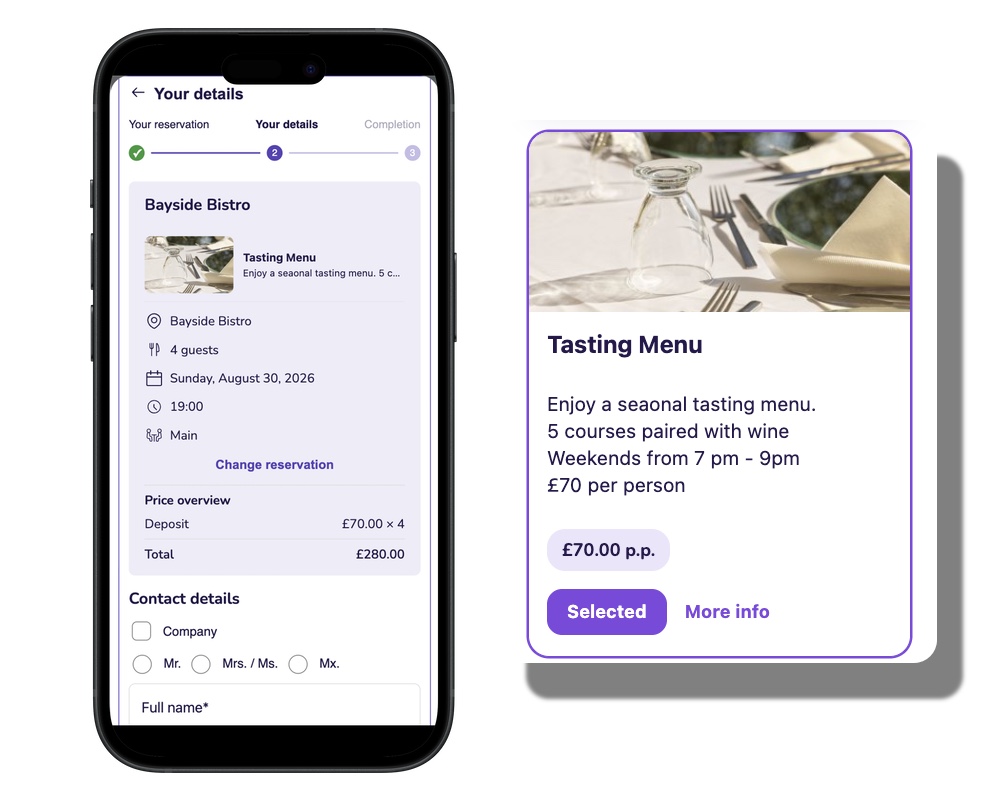
Take the full amount at booking for ticketed events, tasting menus or fixed-price dinners.
If you are running a seasonal tasting menu, a Christmas party night or a ticketed event, prepayment means the revenue is secured before the night. simpleERB handles this through the same Stripe integration. No separate payment tool, no manual invoicing.
Customers pay in full when they book. If they cancel, your refund policy applies. Either way, you know what you are working with before service starts.
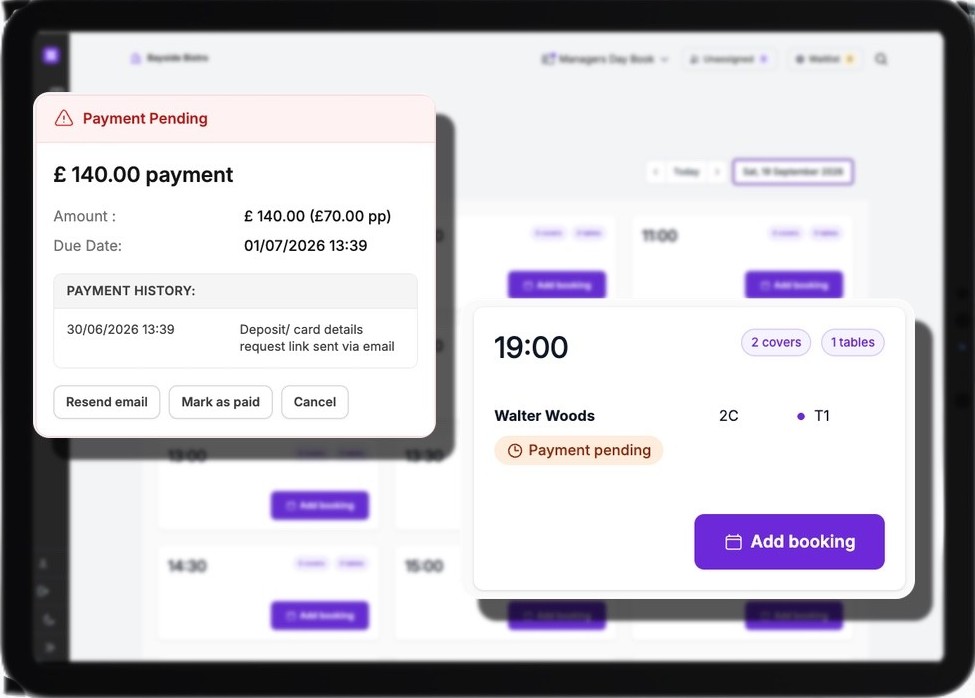
Staff place the booking. The customer supplies their card details through a secure link. No card data passes through your team.
Handling card numbers over the phone is a PCI compliance risk. simpleERB removes it entirely.
When a booking is taken by phone, your team places a provisional booking in the diary. simpleERB then sends the customer a secure link by email. The customer uses the link to supply their card details or pay their deposit in their own time. A due date is set -if the customer has not supplied the details by that deadline, the booking is automatically cancelled.
No card data passes through your staff at any point. The process is fully PCI-compliant and works the same whether the customer responds within minutes or not at all.
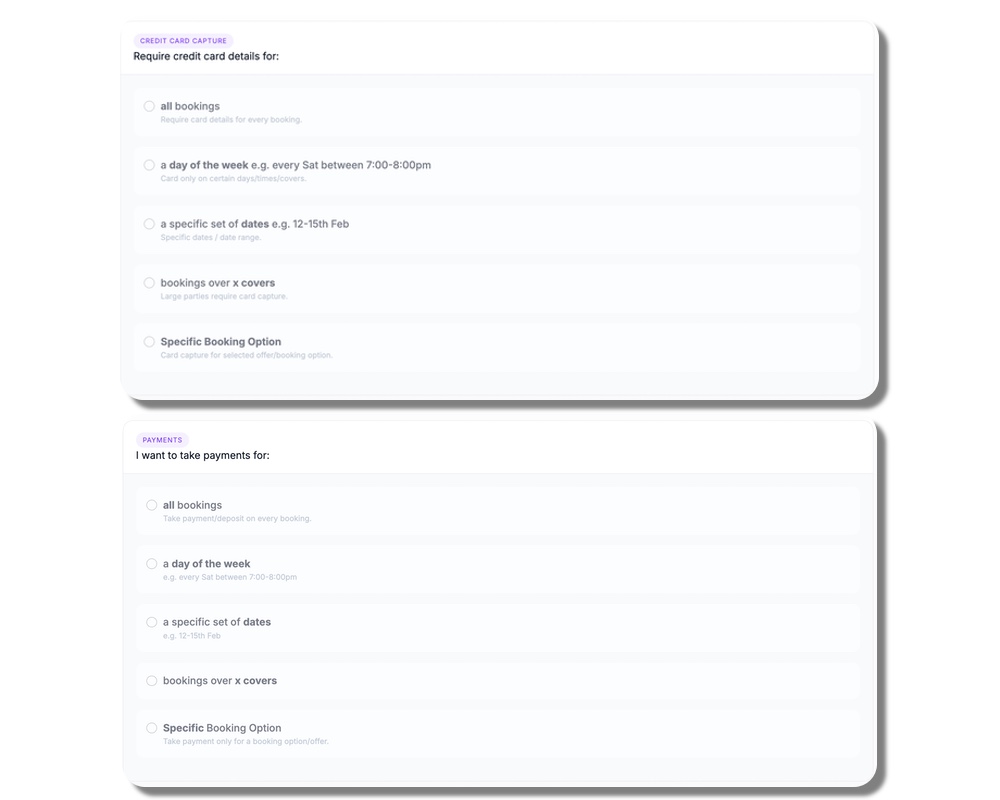
Enable card requirements and deposits for specific dates, covers, times or booking types. Not necessarily every booking.
This is not a blanket policy. simpleERB lets you apply payment rules selectively, so you are only asking for commitment where it makes sense for your operation.
-
A few examples of how restaurants use this:
- Require a deposit for bookings of 6 or more people on Friday and Saturday nights
- Take a prepayment per person for a specific seasonal menu
- Enable card capture for peak periods or bank holidays only
- Set different rules for different booking periods, such as the festive season
The rules live inside simpleERB and update immediately. Switch them on for a busy period and off again once it passes.
Included in Pro. Available as an Add-On for Other Plans.
Stripe transaction charges and service fees apply.
No credit card needed
Sales Support
We are happy to answer any questions you might have about simpleERB, moving from another product, or any other queries you may have.
Product Support
You might find the answer you are looking for on our blog or in our FAQ - but if not, feel free to email us, and a team member will help.
Support Hours:
9:00am - 5:30pm (GMT) Monday - Friday
If you have an urgent inquiry outside of our support hours, please use the following email, and a team member will respond as soon as possible.