
Booking Rules and Setup
Setting up Area Selection for online bookings
Allow customers to select which area they wish to be seated in
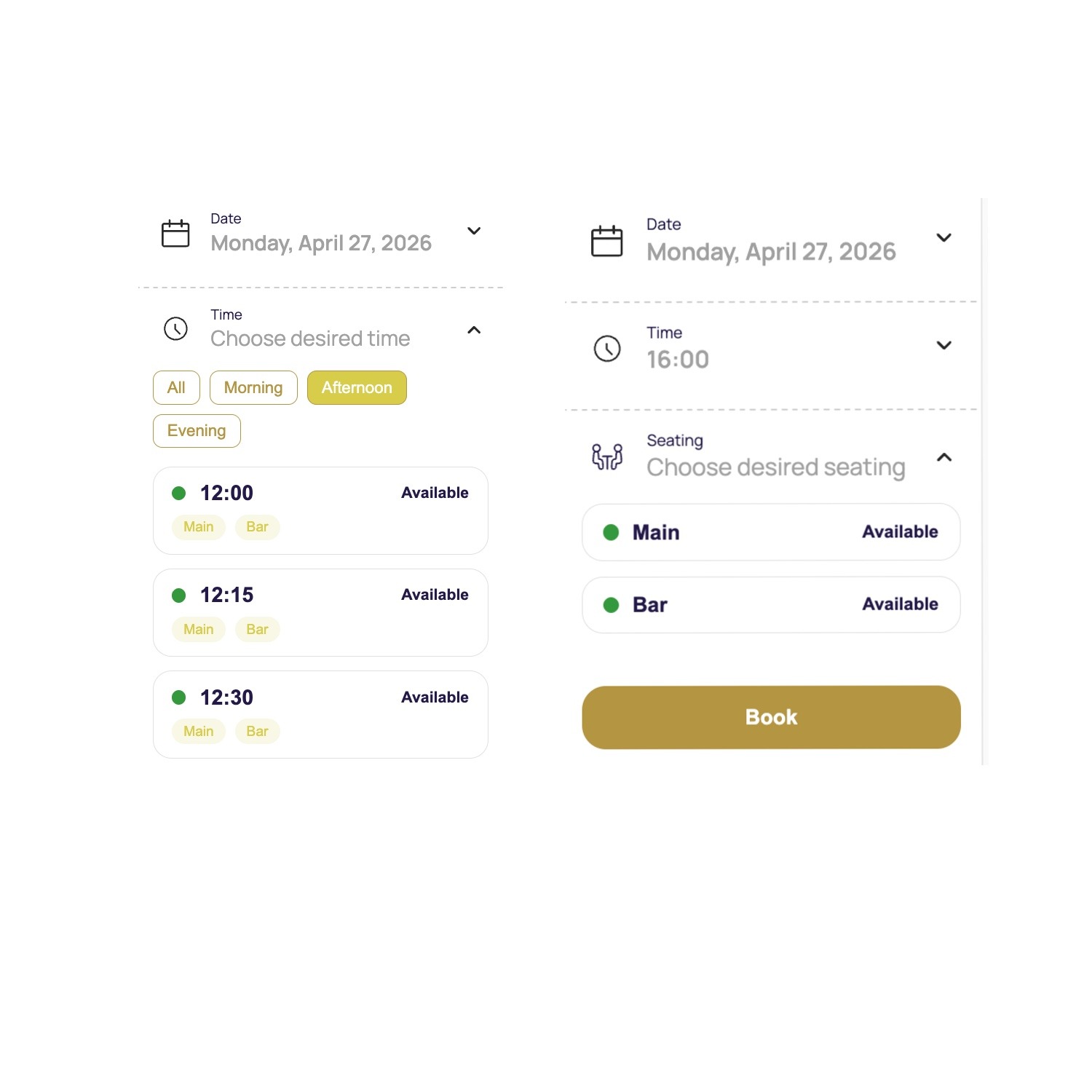
Customers can select from the online booking widget where they would like to be seated, and a suitable table within the area will be assigned to the booking. The online booking widget will also display each area's availability for each bookable timeslot.
Important info: Online area selection is only applicable on the simpleERB booking widget. This is not available for booking integrations with Google or Meta (Facebook/Instagram).
Enable online booking for certain areas
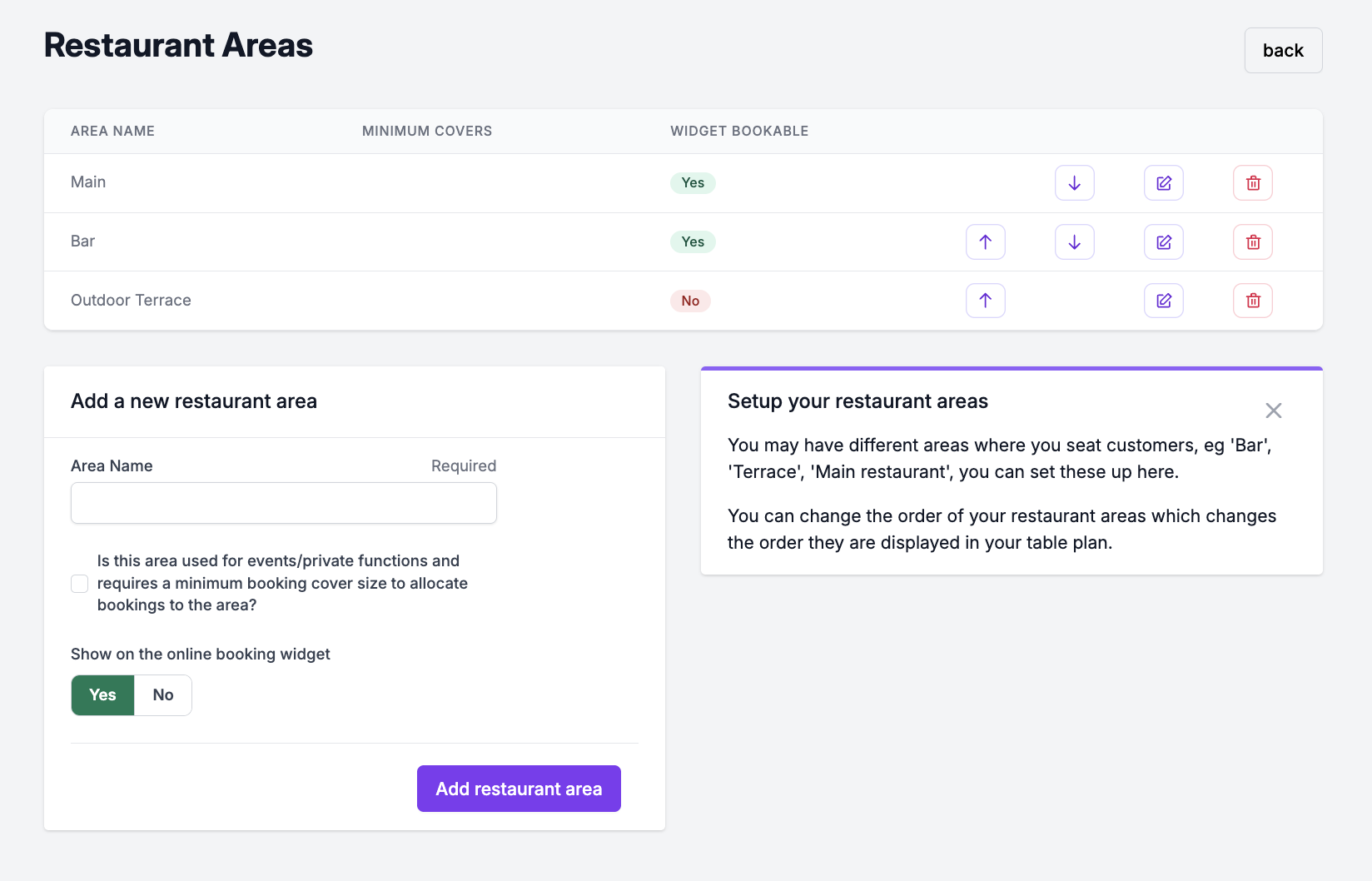
- 1: Head to the Restaurant Area setting.
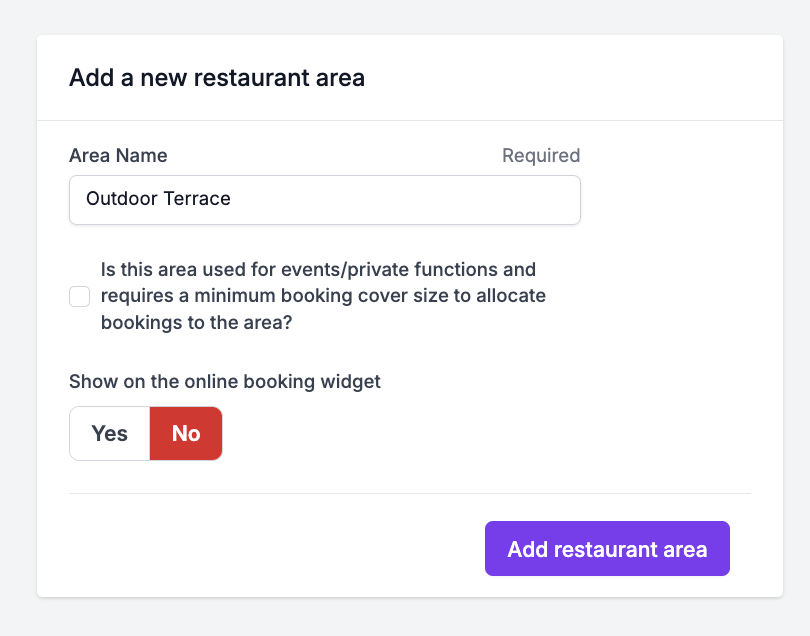
- 2: When creating a brand new area, in the form box select 'On' in the toggle box and click 'add area' to update
- 3: To enable the online selection of an existing area, click the 'edit' icon. Toggle the 'On' button and confirm the update by clicking the 'edit' button.
- 4: You will see then be able to see in the table which areas have this enabled or disabled.
Images: Restaurant Area Setting
Enable 'selectable areas' online for customers to choose
- 1: Head to the. Widget Setting here
- 2: Locate the section > Display area selection on widget. Turn this section 'on' and save to update the setting.
- 3: Any area that has been set as 'yes' online widget booking in the Restaurant Areas here , will now be available to customers on the widget to choose when booking. (See image example below).
- 4: You can turn this feature off at any time.
How can I manage online bookings for certain areas?
To close online bookings for a specific area or tables within an area on a specific day, date, or timeslot, you can action this in the Widget Availabilty setting in the 'Long Term' section.
See here for more information on setting this up.
You can mark in the Table Layout setting individual tables within certain areas that are not to be used for online bookings. These can be held for walk-ins or manual bookings.