
Booking Rules and Setup
Beat no-shows with booking reminders
Set up automated email or SMS reminders to keep bookings fresh in your customers' minds
You can set up automated booking reminders by email or SMS (for an extra fee) which send a message at a predetermined time (set by you) before the booking, just to remind customers they have made a booking so that it is fresh in their mind.
Important info: You can set up multiple reminders to be sent and enable or disable them at any time, allowing you to create different reminders for seasonal periods.
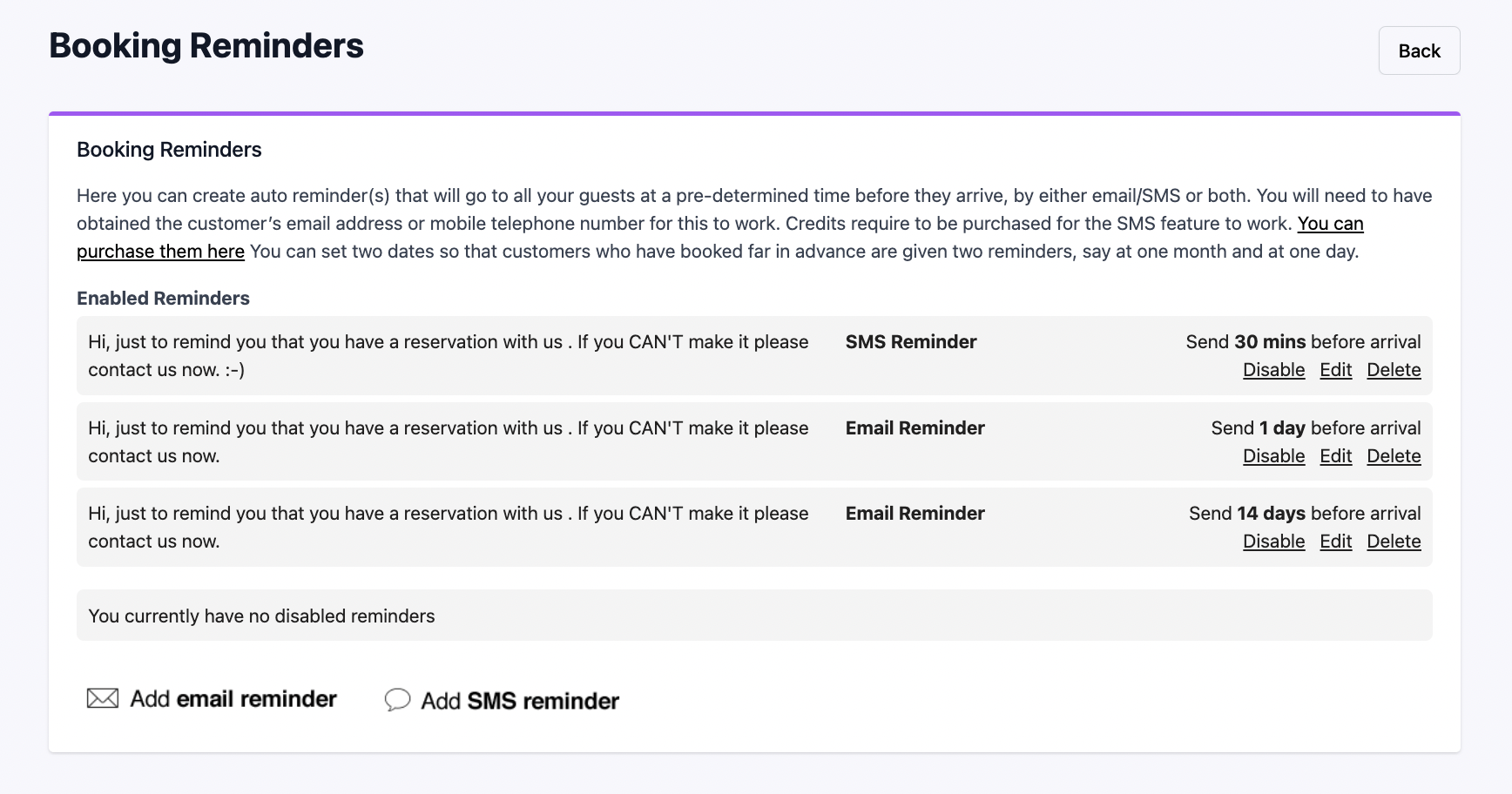
How to set up email booking reminders
- 1: In advanced settings, go to booking reminders.
- 2: Select if you wish to 'add an email reminder'.
- 3: Type in your custom message in the provided box.
- 4: Set the number of days you wish for the reminder to be sent before the booking date and make sure you enable it.
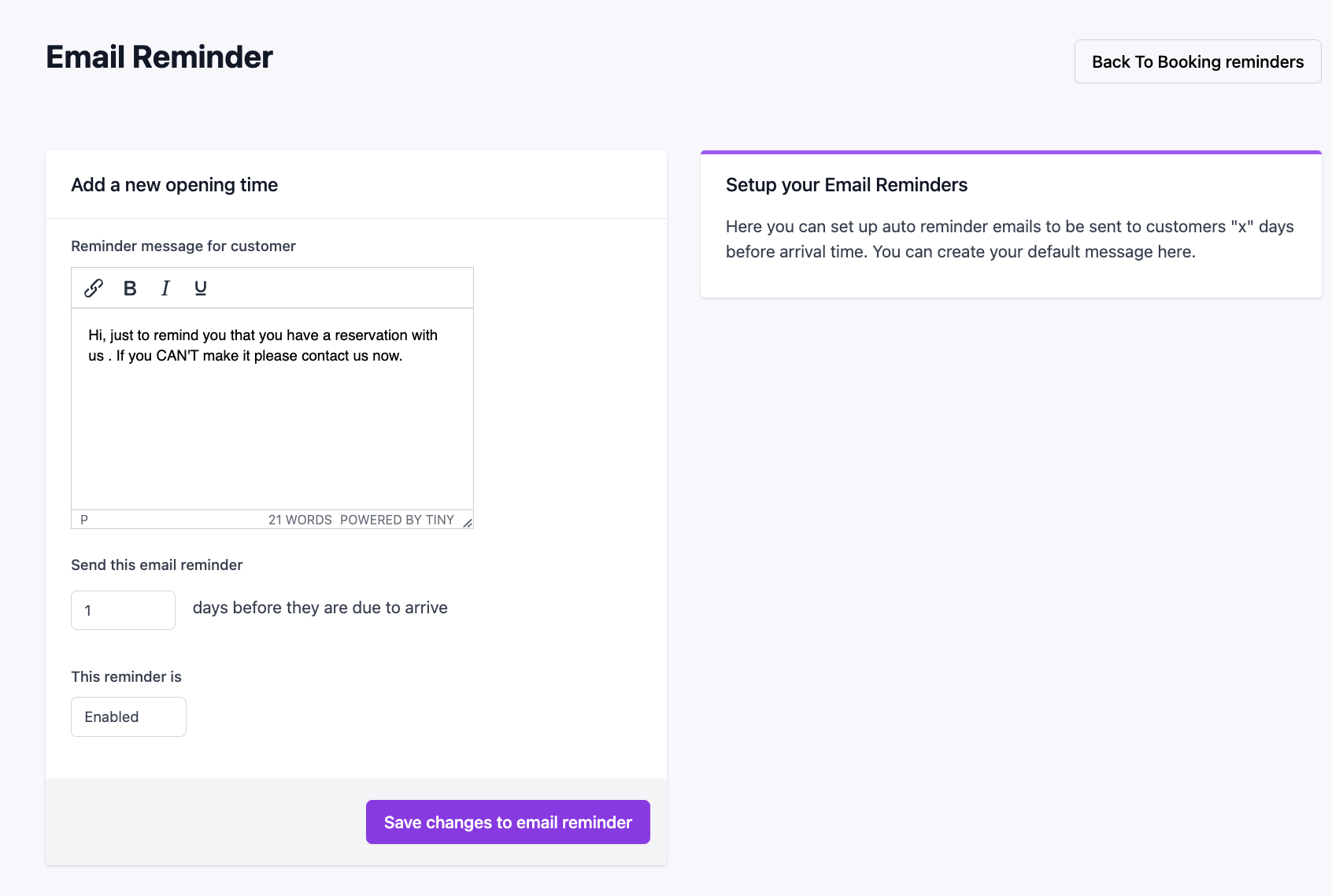
How to set up SMS booking reminders
- 1: The setup method is the same as email reminders; navigate to booking reminders and select 'add SMS reminder'.
- 2: Add your custom message (112 character limit).
- 3: Choose the number of days in advance you wish this to be sent ahead of the booking date. There is also a preview available to show how the SMS will appear to the customer.
- 4: Enable the reminder to start sending them out automatically.
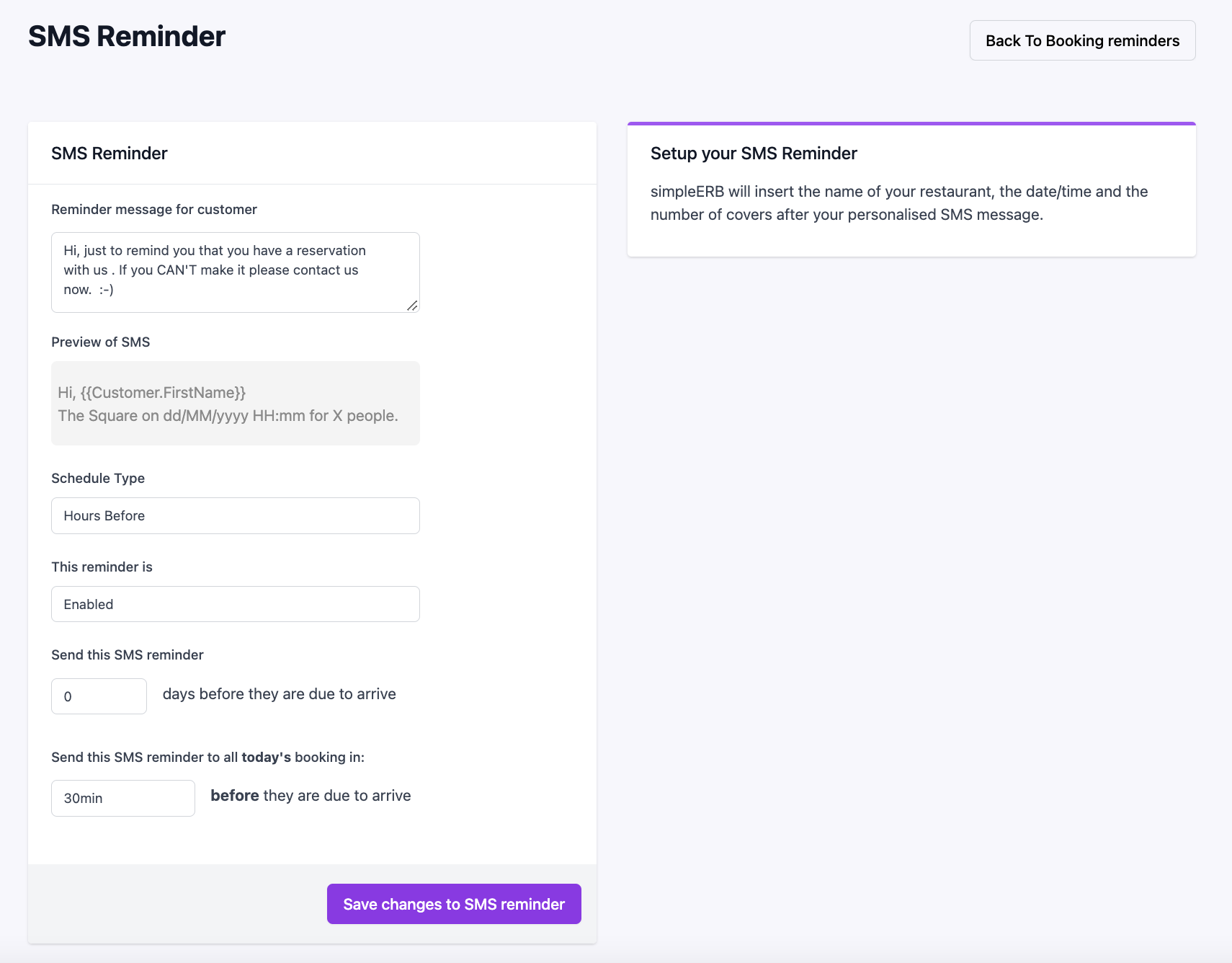
Can I change or disable reminders?
Yes, you can enable or disable your reminders at any time. This flexibility allows you to adjust your setup or create custom reminders specifically for seasonal times.