
How do I add selectable booking options?
Adding selectable options which can be booked by customers for special events, set menus, and promotions
Booking Options in simpleERB are easy to add and can be used in a variety of different ways. You can add booking options that are specific to dates, days or even certain times and only apply to certain cover types. Booking options are great for a one-off event you are holding such as a wine tasting or a set menu for a specific celebration date such as Mother's/Father's day or Easter. They can also be used as 'private' booking options for promotions or to handle coupon voucher companies.
How to set up booking options
- 1: Go to the General settings section and select Booking Options.
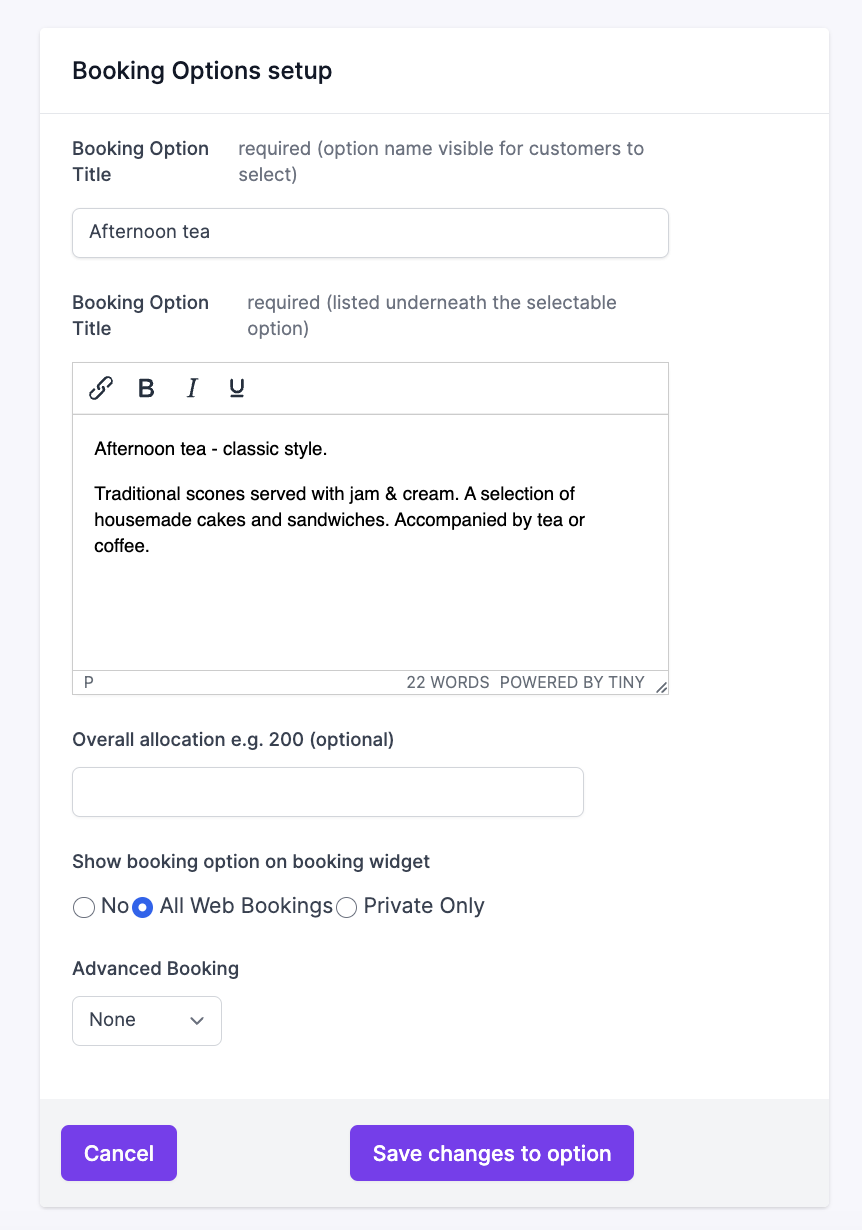
- 2: Choose a title and add a description for the customer to view (you can include links to menus).
- 3: Set your cover allocation limit if needed, enable web bookings, or mark it as 'private only' for specific promotions.
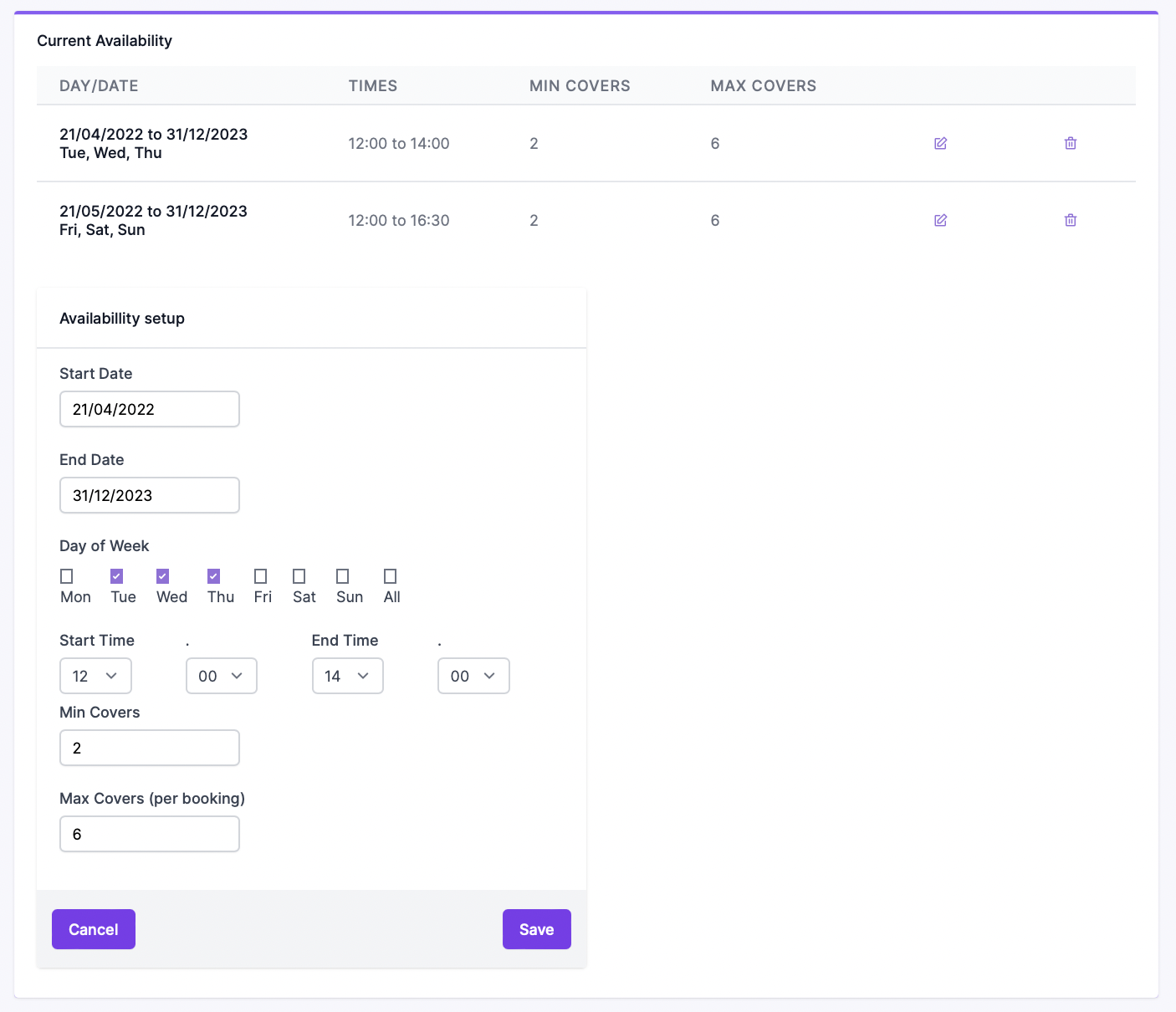
- 4: Configure advance booking requirements, date ranges, days of the week, times, and minimum/maximum booking sizes.
Images: Booking Options Setup
Adding a booking option as a one-day event
- 1: Ensure you list the start date as the offer event date and the end date as the following date.
- 2: Make sure you also tick the day of the week the event is on so it displays correctly on your site.
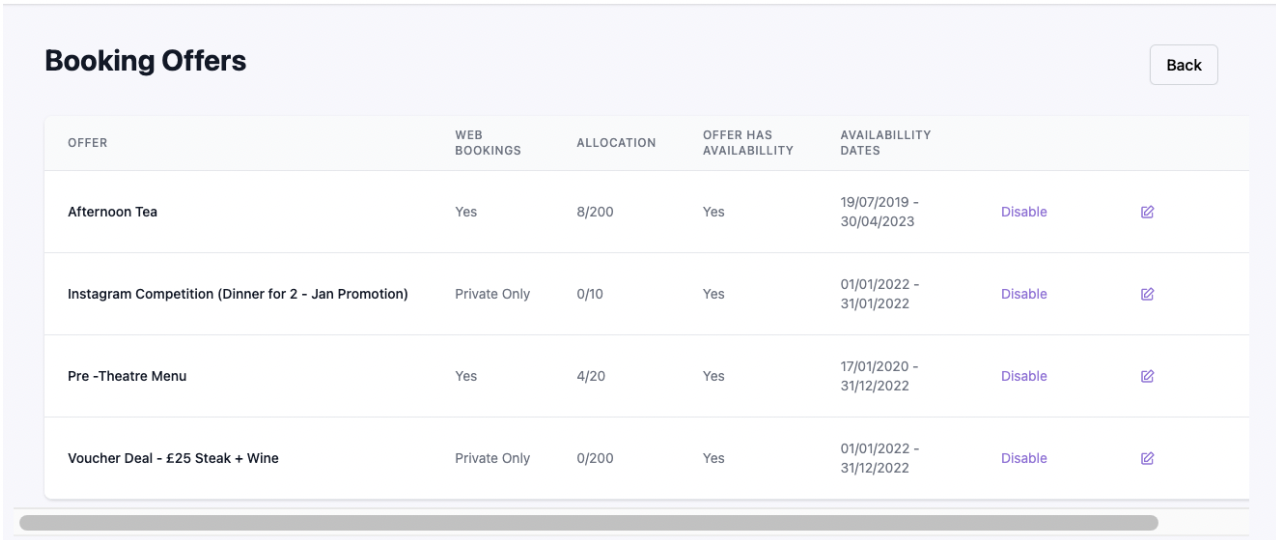
- 3: Save your option so it becomes available for manual bookings and widget display.
Images: Managing Enabled Options
Need to add payments or card capture?
You can attach a payment or card capture rule to a specific booking option to process prepayments in full for bookable offers.
Check out our article on adding payment rules to booking options here.